


Reverso Translate and Learn
4.63.27K Reviews
App Specs
- Version
- 16.0.0
- Updated On
- License
- Free
- Downloads
- 10,000,000+
- Developer
- Reverso Technologies Inc.
- Categories
- Books & Reference
- Platform
- Android
Screenshots
 Analysis by AppCompare
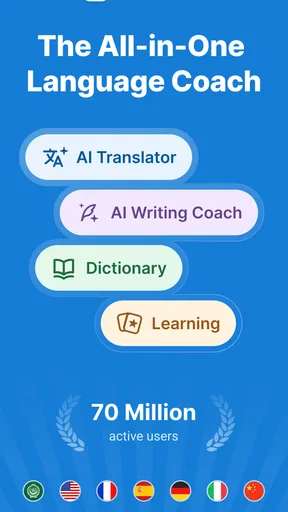
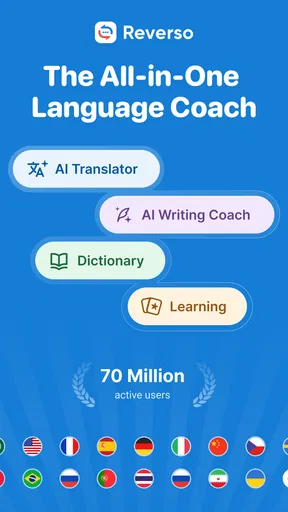
Ever had one of those moments when you're in a foreign country and suddenly realize that your language skills are about as useful as a chocolate teapot? Enter Reverso Translate and Learn. This app is like having a multilingual buddy in your pocket, ready to save you from awkward language mishaps.
What feels useful in the first week
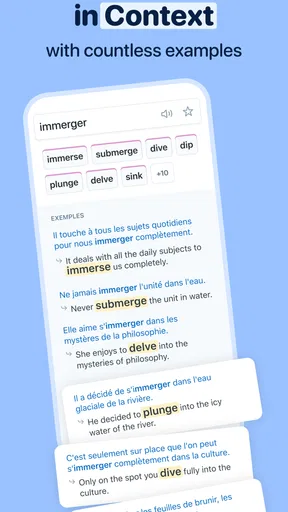
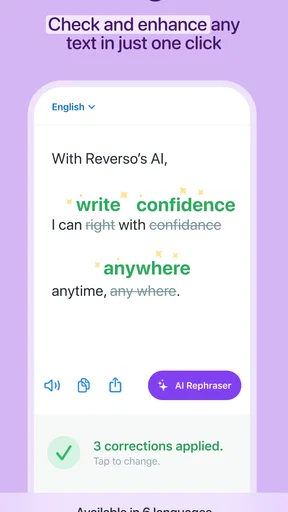
The first time I use a translation app, I want an answer quickly; after a few days, I want to know whether it helps me understand anything beyond that one answer. Reverso is appealing because it pairs translation with examples of phrases in context. That makes it easier to compare possible meanings and notice how a word behaves in a sentence, rather than treating a dictionary entry as the whole story.
That distinction matters most when a phrase is ordinary but not literal. If I am reading a message from a friend or trying to put a polite request together, a direct word-for-word rendering can sound stiff or misleading. I can check examples before choosing my wording, then use pronunciation to hear the phrase rather than relying only on its spelling. I still need to judge whether the example matches my situation, but the extra context gives me something useful to work with.
The app is a free Books & Reference tool from Reverso Technologies Inc., with language options including Spanish, French, German, Italian, and Arabic. It is rated for Everyone, so it can suit a broad range of learners. Its average rating is 4.7 from around 278,000 ratings, and it has more than 10 million installs. Those figures suggest it has reached a large audience, but what would make me keep it is the way it can bridge a quick translation and a small learning habit.
How it can earn a place month after month
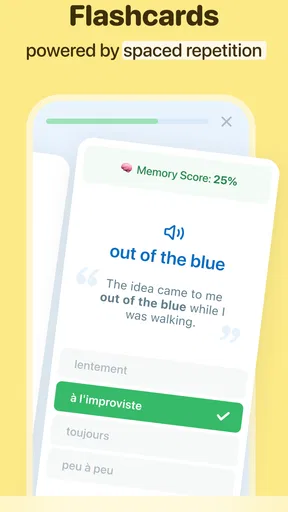
For a learner who already studies a language, Reverso works best as a companion rather than a complete course. I might use a textbook or class to learn grammar, then bring a phrase I have encountered into Reverso to check how it appears in use. The Learn section’s flashcards and quizzes can help me revisit vocabulary in short sessions, especially when I have a few spare minutes and do not want to begin a full lesson.
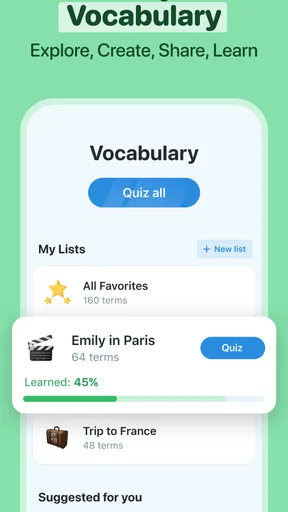
A practical routine is to look up only the expressions I expect to use again. I can check a phrase, compare its examples, listen to how it sounds, and then save the useful item for a later review if that option is available in my current setup. The key is keeping the list selective: collecting every unfamiliar word can turn a handy reference into a pile of forgotten entries. A small set of phrases connected to work, travel, or a current book is easier to revisit with purpose.
Imagine I am preparing for a weekend visit and want to ask about a menu item without making a guess. I can check the wording before I arrive, listen to the pronunciation, and review a few likely phrases on the way. At the restaurant, Reverso can help me interpret a phrase or confirm a word, but it cannot decide whether an example fits a particular dietary need or local custom. For anything important, I would use it to support a conversation, not replace asking a person directly.
Worth Reading Before You Choose

Flipboard Shows What News Apps Must Do Beyond the Feed

Switching to Android Auto Means Rethinking Your Driving Routine

Google Calendar Makes a Crowded Week Easier to Manage

Ludo King Makes the Most of the Minutes Between Plans

Baby Panda World Brings Quick Play to Modern Phones, but Its Game Library Feels Busy

ESPN’s Live Game View Makes Following Close Games Easier
It can also be useful away from travel. When I come across a sentence in a foreign-language article, I can use a translation to get the gist and examples to inspect a tricky expression. That makes Reverso more valuable than a tool I open only during emergencies. The trade-off is that a translated result may make reading feel easier without proving that I can produce the same language myself. I get more lasting value if I try to form my own sentence before checking the answer.
Keeping the routine light, and knowing its limits
The maintenance burden is modest if I use it as a reference: open it when a real phrase raises a question, then return later to the small set of vocabulary worth practicing. Flashcards and quizzes offer a way to revisit material, but they work only when I make time for them. No app can turn occasional lookups into steady progress automatically, and repeated tapping through practice without a personal goal can become busywork.
Offline use can be helpful on a trip, but it takes a little preparation. I need to download the language resources I expect to need before leaving a reliable connection. That is an easy step to overlook when packing, and it is better to test the setup before relying on it somewhere with poor access. Offline access is a convenience for travel, not a reason to assume every language, feature, or situation will work exactly as it does online.
Compared with a basic dictionary, Reverso offers more sentence context and listening support, which can help when a single gloss leaves me unsure. Compared with a general-purpose translator, its learning tools make it more appealing for repeated study. But if I only need one quick sign translation, opening a dedicated camera-based tool may be faster; if I need a structured path through grammar and speaking practice, a full course or tutor is a better fit. Reverso sits between those uses: a reference that can encourage learning, rather than a substitute for every language resource.
There are also reasons I might not keep it in my daily rotation. If I rarely encounter other languages, a browser translation or built-in phone tool may already cover my occasional need. If I want detailed grammatical explanations, feedback on my own speaking, or a carefully sequenced syllabus, the app’s translation-and-review approach may feel limited. Examples are useful, but I still have to check whether their register and context match what I intend to say.
It is free to download, with in-app purchases ranging from $1.99 to $40.99 per item. I would start with the free experience and decide whether any paid option addresses a need I actually have, rather than treating an upgrade as necessary for learning. The current version is 15.1.0, and it supports Android 6.0 or later. Since features can change between releases, I would check what is available in my own version before building a routine around a particular tool.
Diving Into the World of Reverso
Reverso Translate and Learn doesn’t just translate words; it does a deep dive into language nuances. Whether you’re brushing up on your French for a trip to Paris or trying to impress someone with your Italian, this app has got you covered. It’s not just about translating; it's about truly understanding the context.
Features That Make Reverso Shine
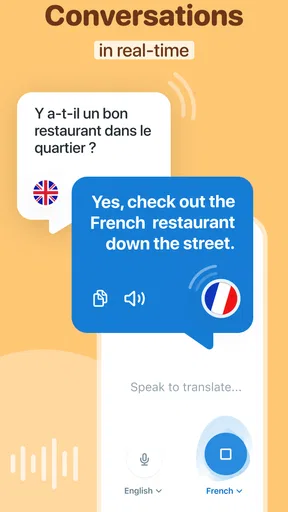
First off, let’s talk about the translation feature. It’s super straightforward. You type in your phrase, and boom – you get a translation. But what makes this app stand out is its ability to provide examples of how a word or phrase is used in different contexts. It’s like having a language tutor who’s always patient and never judges.
Another cool feature is the Learn section. Here, you can play around with flashcards and quizzes that help reinforce your learning. It’s like a mini language school on your phone, minus the pressure and the boring homework.
Using Reverso in Real Life
So, how does it perform in the wild? Pretty darn well. I decided to put it to the test during a lunch date with a Spanish-speaking friend. Not only did Reverso help me navigate the menu, but it also saved me from ordering something I couldn’t handle. Plus, I managed to impress my friend with some new phrases I picked up. Win-win!
One of the things I love is the app's ability to work offline. This is a lifesaver when you're traveling and don't want to rack up roaming charges. Just download the languages you need beforehand, and you’re good to go, even in airplane mode.
Why Reverso Stands Out
Reverso is different from other translation apps because it doesn’t just focus on direct translations. It’s all about context. The app taps into a vast database of examples from real-world documents and media, so you’re not just learning words, but how they’re used naturally. It’s like having a secret weapon in your language-learning arsenal.
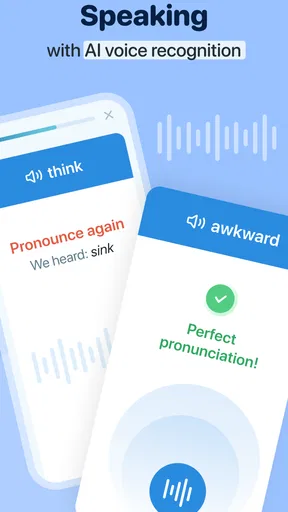
And let's not forget the pronunciation feature. You can actually hear how words are supposed to sound, which is perfect for those of us who might butcher a foreign accent.
Wrapping It Up
At the end of the day, Reverso Translate and Learn is a nifty tool for anyone looking to break down language barriers. Whether you’re a student, a traveler, or just someone who loves learning new languages, this app can be a game-changer. It’s user-friendly, packed with features, and most importantly, it makes learning fun.
So next time you’re stuck trying to remember how to say "Where’s the bathroom?" in French, just whip out Reverso and let it do the talking. Trust me, your future multilingual self will thank you.
Pros
- Accurate translations in multiple languages.
- Intuitive and user-friendly interface.
- Offers contextual examples for better understanding.
- Includes pronunciation guides for learning.
- Works offline for translations on the go.
Cons
- Limited languages compared to some competitors.
- Ads can be intrusive in the free version.
- Requires internet for some advanced features.
- Voice input feature occasionally lags.
- Some translations lack cultural context.
FAQs for Reverso Translate and Learn
What is Reverso Translate and Learn, and how does it work?
Reverso Translate and Learn is a comprehensive language translation app that offers translations in multiple languages. It utilizes advanced algorithms to provide context-aware translations, ensuring accuracy and relevance. Additionally, the app features language learning tools, such as flashcards and pronunciation guides, to help users improve their language skills effectively.
Is Reverso Translate and Learn free to use?
Reverso Translate and Learn offers both free and premium versions. The free version provides basic translation services and some learning features. However, the premium version unlocks additional tools, such as offline access, advanced learning resources, and an ad-free experience. Users can choose the version that best suits their needs.
How accurate are the translations provided by Reverso Translate and Learn?
The app is known for its high level of accuracy, thanks to its context-aware translation feature. By analyzing the context of phrases, it delivers more precise translations than many other apps. However, like any translation tool, it may not be perfect in every situation, especially with idiomatic expressions.
Can I use Reverso Translate and Learn offline?
Offline access is available with the premium version of Reverso Translate and Learn. This feature allows users to download language packs, enabling translations and learning without an internet connection. It's particularly useful for travelers or situations where connectivity is limited.
What learning features does Reverso Translate and Learn offer?
Reverso Translate and Learn includes several features to aid language learning. Users can access flashcards, pronunciation guides, and contextual examples. The app also provides quizzes and exercises to reinforce learning and track progress, making it an effective tool for both beginners and advanced learners.


